The Phomemo Sticker Printer review is a useful starting point if you want a small, phone-connected thermal printer for study notes, journal projects, or quick labels.
The M02 keeps the setup focused on monochrome printing and a pocketable design, with app tools for turning text and images into small prints.
Phomemo M02 Review Summary
The quick verdict
9,000+ ratings
Read Amazon ReviewsPhomemo M02 Sticker Printer
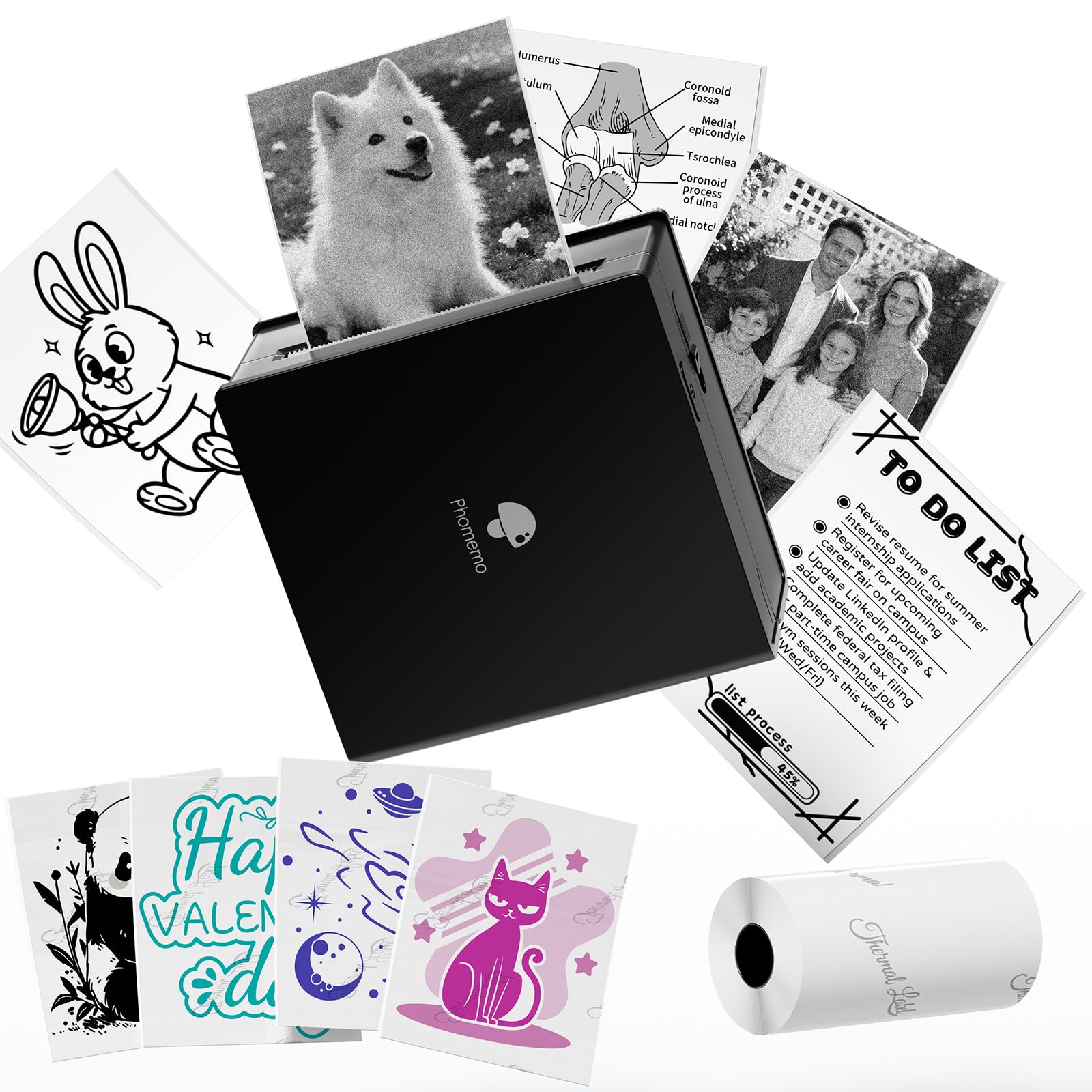
A compact, inkless printer for phone users who want quick monochrome photos, study notes, and labels for creative projects.
- Thermal, inkless printing: the printer uses no ink or toner.
- Bluetooth 4.0 connection for compatible Android 7.0 and iOS 13.0 or later devices.
- Compact body measuring 3.3 by 3.2 by 1.6 inches and weighing 190 grams.
- Monochrome output for text, photos, and other small designs.

Pros
- Pocket-sized dimensions make it easy to carry alongside everyday study or creative supplies.
- Inkless thermal operation avoids ink and toner purchases.
Consider before buying
- Monochrome output is limiting if your projects depend on color.
- Printing depends on a compatible smartphone and app-based workflow.
Read the full review summary
The Phomemo M02 is built around convenience: Bluetooth 4.0 connects it to compatible Android and iOS devices, while thermal printing avoids ink and toner.
Its stated dimensions are 3.3 by 3.2 by 1.6 inches, and the 190-gram weight makes it easy to keep with a notebook or carry in a bag.
This is best suited to people who want small, portable prints for creative or practical use rather than a general-purpose document printer.
The companion app offers one-click printing plus fonts, filters, and themes, giving users ways to prepare text and images.
Output is monochrome, so buyers should be comfortable with black-and-white designs and check that their phone meets the listed operating-system requirements.
The buying factors
Phomemo M02 Scorecard
Editorial scores reflect listed features and buyer fit; they are not laboratory measurements or customer ratings.
Portability
The compact dimensions and 190-gram weight suit carrying between home, school, or work.
Ink-free convenience
Thermal printing removes the need to buy ink or toner.
Creative flexibility
The app includes fonts, filter effects, and themes for preparing text and images.
Phone compatibility
Bluetooth 4.0 is listed for Android 7.0 and iOS 13.0 or later.
Output versatility
The M02 handles photos and text, but its output is monochrome.
Everyday usefulness
Suggested uses span study notes, lists, receipts, meeting notes, and creative projects.
Key Features and Specifications of Phomemo M02
- Thermal, inkless printing: the printer uses no ink or toner.
- Bluetooth 4.0 connection for compatible Android 7.0 and iOS 13.0 or later devices.
- Compact body measuring 3.3 by 3.2 by 1.6 inches and weighing 190 grams.
- Monochrome output for text, photos, and other small designs.
- Companion app with one-click printing, fonts, filter effects, and themes.
- Listed for uses such as study and meeting notes, shopping lists, receipts, work planning, diaries, and DIY projects.
- The product description advises charging when the indicator light turns red and charging periodically during extended storage.
Pros and Cons of Phomemo M02
Pros
- Pocket-sized dimensions make it easy to carry alongside everyday study or creative supplies.
- Inkless thermal operation avoids ink and toner purchases.
- Phone-based printing and app design tools support quick, small-format projects.
- A broad set of suggested uses makes it relevant for both practical notes and personal creative work.
Consider before buying
- Monochrome output is limiting if your projects depend on color.
- Printing depends on a compatible smartphone and app-based workflow.
- Battery care requires attention: the description recommends charging at a red indicator and periodically during long storage.
Who Should Buy Phomemo M02?
Good fit
Consider the Phomemo M02 if you want a small printer that can travel with your journal, study materials, or work bag.
Its light weight and compact body make it suited to occasional printing away from a desk, while Bluetooth pairing keeps the workflow centered on a phone rather than a computer.
It may also suit people who make small monochrome items such as notes, lists, or diary decorations.
The app's fonts, filters, and themes provide some room to style prints, and thermal operation keeps ink and toner out of the routine.
Before buying, confirm your phone runs Android 7.0 or later or iOS 13.0 or later, and think through whether black-and-white output matches the projects you plan to print.
Who should skip it
Look elsewhere if color output is essential to your labels, photos, or creative work. The M02 is specified as a monochrome printer, so its app styling tools do not change the output into color.
It is also a poor fit if you need a conventional printer for full-size documents or want to print without relying on a compatible smartphone. Its described role is portable, small-format printing through a phone app.
What the Phomemo M02 Means for Everyday Printing
Portable printing for small tasks
At 3.3 by 3.2 by 1.6 inches and 190 grams, the M02 is designed to take up little space. That makes it practical to keep near a planner or pack for class, travel, or a creative session.
Its usefulness depends on having small prints in mind; the compact format is not presented as a replacement for a standard office printer.
Thermal output and color expectations
Thermal printing means the M02 does not need ink or toner, reducing the number of consumables to manage. The tradeoff is that its output is monochrome.
That can work well for text, simple images, lists, and study material, but buyers who rely on color should decide whether black-and-white prints will serve their projects.
Phone-based setup
Bluetooth 4.0 and the companion app place setup and print preparation on a compatible phone. The app's one-click printing, fonts, filters, and themes can help create a design before sending it to print.
Check the listed minimum operating-system versions for your device, and consider whether app-based control fits how you prefer to work.
Battery upkeep
The product description gives a straightforward care reminder: charge when the indicator turns red, and recharge periodically if the printer will be stored unused for a long time.
That is a useful consideration for a portable device that may spend stretches in a bag or drawer. Buyers who use it sporadically should include charging in their occasional setup routine.
Alternatives to Phomemo M02
Portable Thermal Printers alternative
11,000+ ratings
Read Amazon ReviewsMemoking T02 Mini Printer
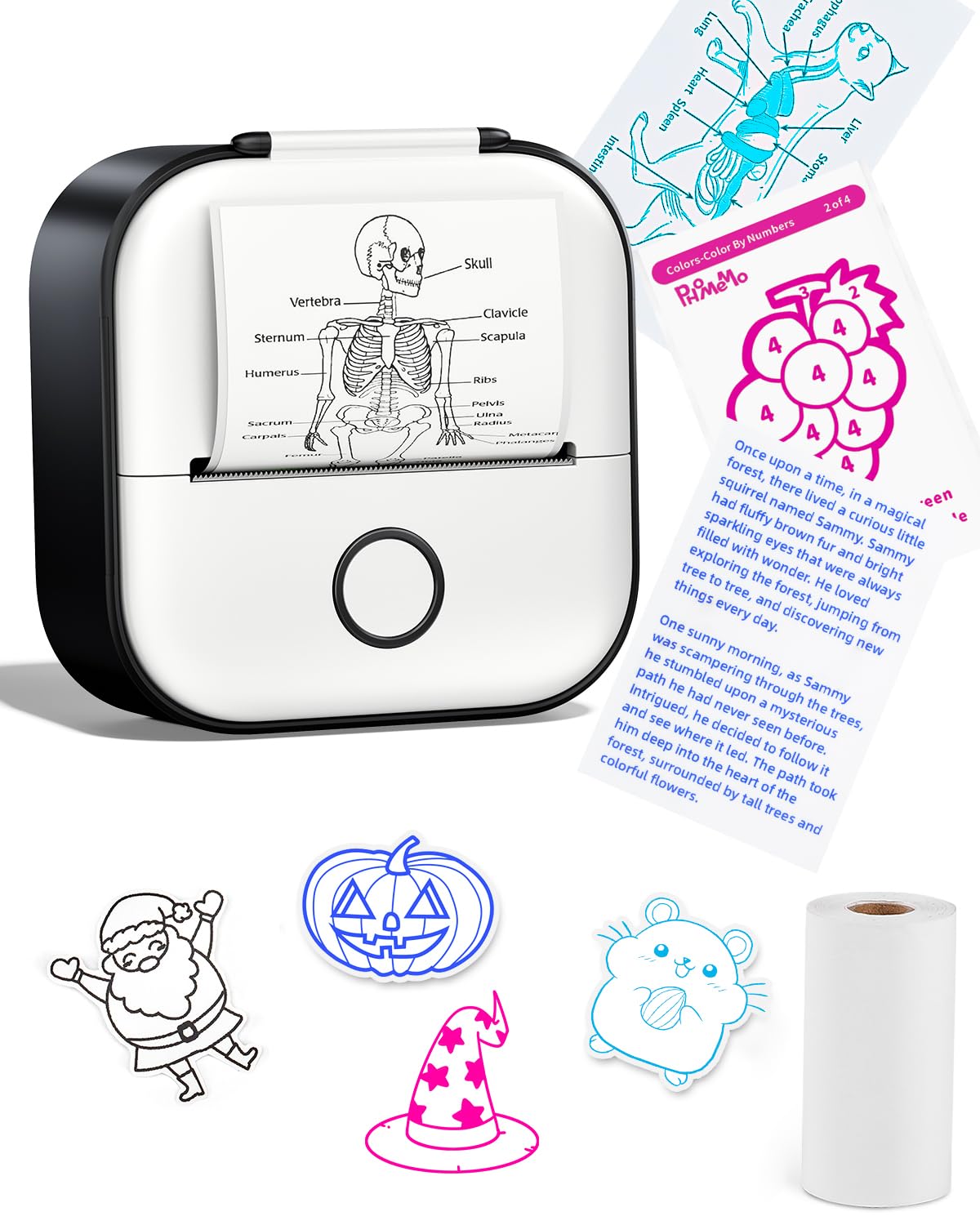
Choose the M02 if its compact dimensions and Phomemo app tools fit your routine. Consider the T02 if scan-based study graphics or the described range of paper colors and clear media better match your projects.
- The Memoking T02 is also a Bluetooth thermal mini printer for monochrome notes, photos, graphics, and labels.
- Its description highlights scan-based study graphics and says it can use white, colored, or clear transparent thermal paper; it also specifies that printing is black and white.
- The Phomemo M02 is a compact Bluetooth thermal printer for photos and text, with an app offering fonts, filters, and themes; it is specified for monochrome output.
Portable Thermal Printers alternative
28,000+ ratings
Read Amazon ReviewsPhomemo D30 Label Maker
The M02 is the more relevant fit for buyers who want small photo and note prints as well as DIY projects.
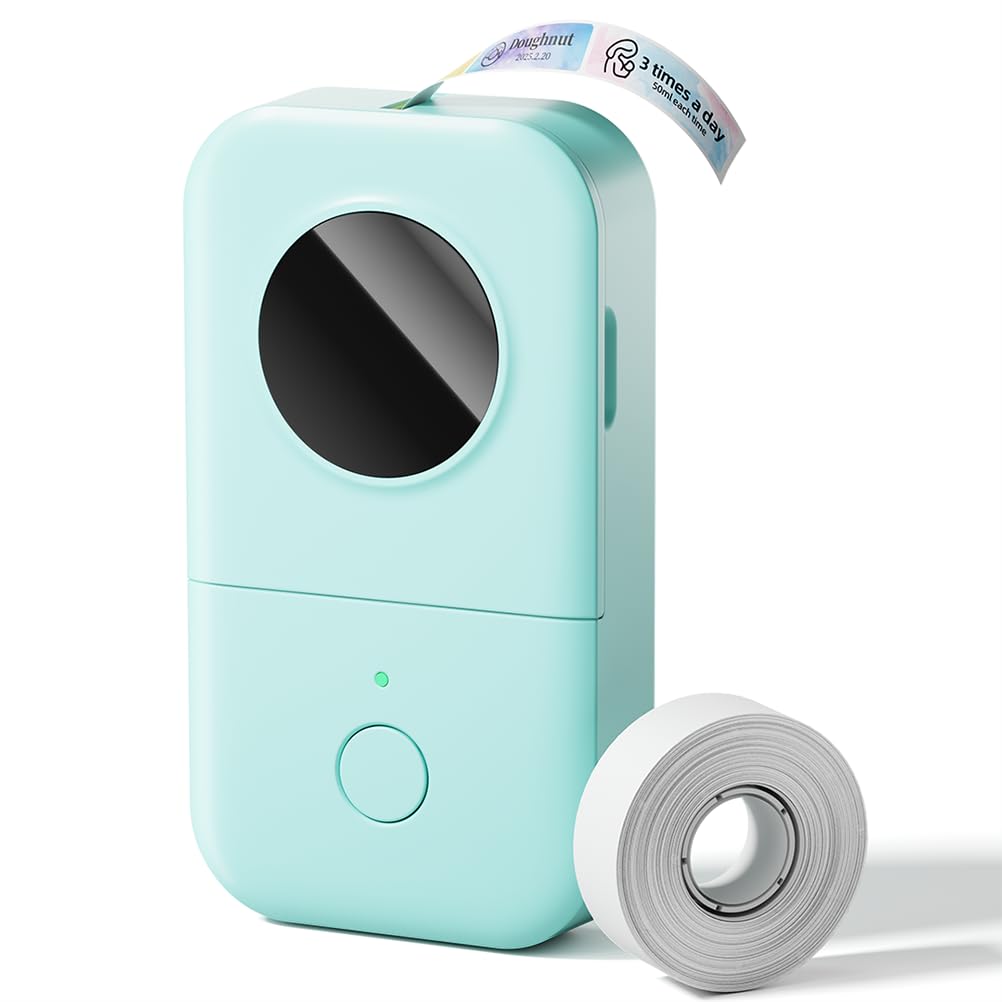
The D30 is a better match when the main task is producing organized labels with fixed or continuous tape and tools such as barcodes or spreadsheet import.
- The D30 is a Bluetooth thermal label maker that supports continuous and fixed-length label tapes.
- Its Print Master app supports functions such as barcode and QR-code generation, Excel import, OCR, and template-based label design; it prints black text.
- The M02 is presented for small photos, text, study notes, and creative DIY printing, using a phone app and monochrome thermal output.
Is Phomemo M02 Worth It?
The Phomemo M02 is worth considering if you want a genuinely portable, phone-driven thermal printer for small monochrome notes, images, and creative projects.
Its inkless design and app styling tools support a convenient everyday role, while the compact body is easy to carry.
Buy it with clear expectations: output is monochrome, printing relies on a compatible phone, and battery upkeep calls for occasional attention.
If those conditions suit your routine, the M02 offers a focused alternative to keeping small printing tasks at a desk.
Your review at a glance
9,000+ ratings
Read Amazon ReviewsPhomemo M02 Sticker Printer
A compact, inkless printer for phone users who want quick monochrome photos, study notes, and labels for creative projects.
- Thermal, inkless printing: the printer uses no ink or toner.
- Bluetooth 4.0 connection for compatible Android 7.0 and iOS 13.0 or later devices.
- Compact body measuring 3.3 by 3.2 by 1.6 inches and weighing 190 grams.
- Monochrome output for text, photos, and other small designs.