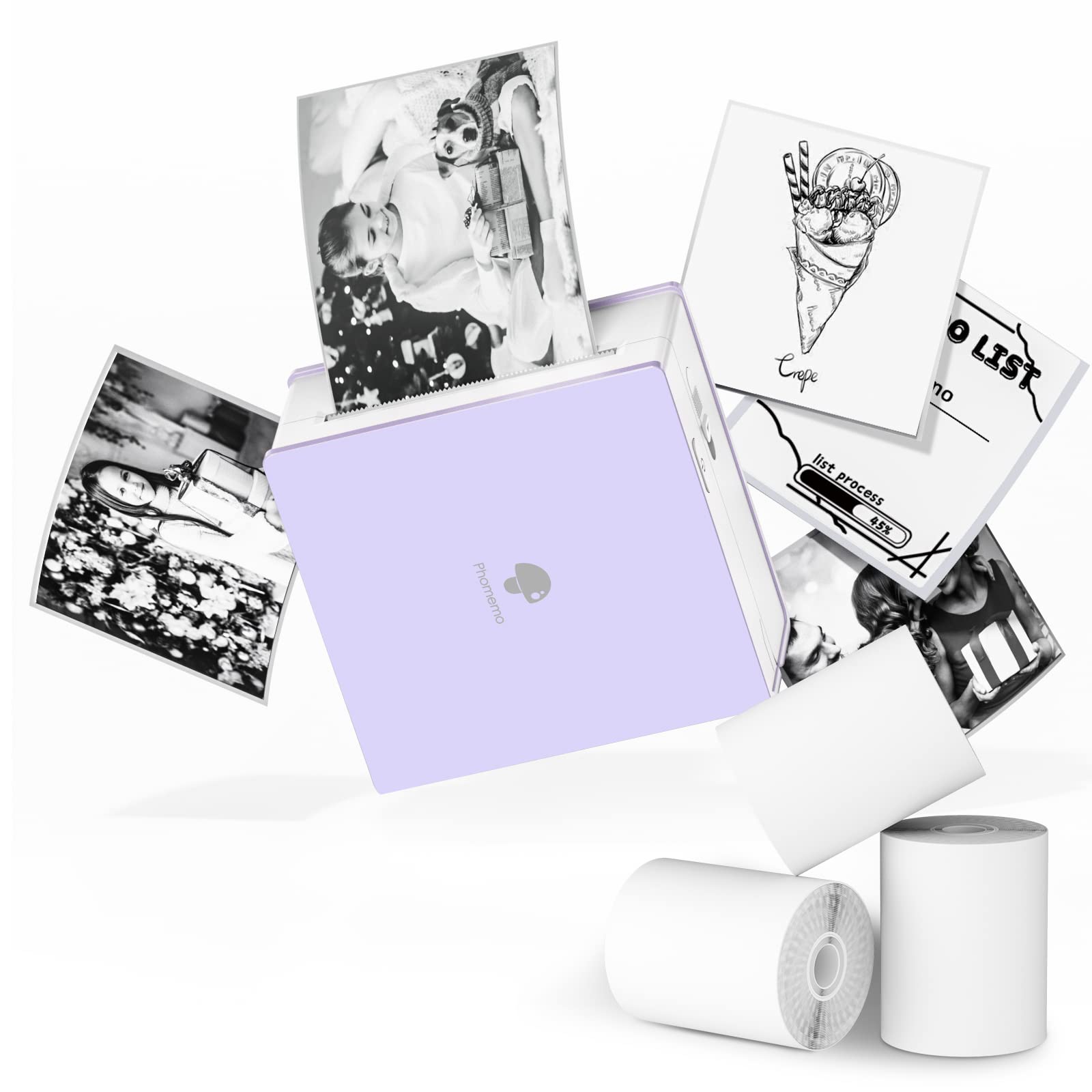
The Phomemo Mini Thermal Printer with 3 Rolls Paper is a pocket-sized option for turning phone or tablet content into quick monochrome prints.
Its app-based Bluetooth workflow and support for several thermal paper types suit study aids, labels, and creative projects, with black-and-white output as the key tradeoff.
Phomemo M02 Printer Review Summary
The quick verdict
9,000+ ratings
Read Amazon ReviewsPhomemo M02 Mini Thermal Printer
A compact inkless printer for students, journalers, and DIY users who want quick monochrome notes, photos, and labels from a phone or tablet.
- Bluetooth connection for Android 7.0 or later and iOS 13.0 or later phones and tablets.
- Inkless thermal printing, with no ink or toner required.
- Monochrome output on white self-adhesive and thermal paper; colored and transparent paper rolls support single-color printing.
- Phomemo app supports text, patterns, and photos and includes fonts, filters, themes, and a scan feature.

Pros
- Small enough to carry for study sessions, planning, or creative work away from a desk.
- Inkless printing avoids managing ink or toner supplies.
Consider before buying
- Prints only in monochrome, which limits projects that depend on full-color photos or graphics.
- Printing depends on a compatible phone or tablet and the companion app.
Read the full review summary
The Phomemo M02 combines an inkless thermal mechanism with a compact body measuring 3.39 × 3.31 × 1.65 inches.
Connect a compatible Android or iOS device through Bluetooth, prepare text, patterns, or photos in the Phomemo app, then print without ink or toner.
White self-adhesive and thermal paper are supported, while colored and transparent rolls can produce single-color designs.
Its flexibility makes more sense for small, occasional prints than for general document printing. Students can create review notes and study graphics; journalers and DIY users can make labels, bookmarks, or greeting-card elements.
The app adds fonts, patterns, filters, and themes, but output remains monochrome, so buyers should think of it as a portable creative and organizational tool rather than a color photo printer.
The buying factors
Phomemo M02 Printer Scorecard
Editorial scores reflect listed features and buyer fit; they are not laboratory measurements or customer ratings.
Portability
The compact dimensions are designed to slip into a pocket, making it easy to keep close for small print jobs.
Device convenience
Bluetooth pairing with supported phones and tablets plus app-based one-touch printing gives it a straightforward mobile workflow.
Creative flexibility
The app offers fonts, patterns, filters, and themes, and the printer can work with several kinds of thermal paper.
Study usefulness
Printing notes and study graphics, including material captured with the scan feature, fits review and flashcard-style tasks.
Output versatility
It can handle text, patterns, and photos, but monochrome printing limits color-dependent projects.
Setup demands
The phone or tablet app is central to printing, so this is a mobile accessory rather than a standalone printer.
Key Features and Specifications of Phomemo M02 Printer
- Bluetooth connection for Android 7.0 or later and iOS 13.0 or later phones and tablets.
- Inkless thermal printing, with no ink or toner required.
- Monochrome output on white self-adhesive and thermal paper; colored and transparent paper rolls support single-color printing.
- Phomemo app supports text, patterns, and photos and includes fonts, filters, themes, and a scan feature.
- Compact body measures 3.39 × 3.31 × 1.65 inches.
- Designed for small prints such as study notes, labels, shopping lists, receipts, bookmarks, and greeting-card elements.
Pros and Cons of Phomemo M02 Printer
Pros
- Small enough to carry for study sessions, planning, or creative work away from a desk.
- Inkless printing avoids managing ink or toner supplies.
- Paper choices include white, colored, and transparent thermal rolls, with single-color output on specialty rolls.
- The app and scan feature support more than simple text labels, including study graphics and photo-based prints.
Consider before buying
- Prints only in monochrome, which limits projects that depend on full-color photos or graphics.
- Printing depends on a compatible phone or tablet and the companion app.
- The description does not establish ongoing paper costs or how long printed material will remain legible, so frequent users should check consumable options and storage needs before committing.
Who Should Buy Phomemo M02 Printer?
Good fit
Consider the Phomemo M02 if you want a small mobile printer for study material, planning, journaling, or simple DIY labels.
The ability to print text, patterns, photos, and scanned graphics gives it a broader role than a basic text-only label tool, while Bluetooth and the app keep the workflow centered on a mobile device.
It is especially suited to students and creative users who value convenience and portability over color reproduction.
Before buying, confirm that your phone or tablet meets the stated operating-system requirements and that the available thermal paper types suit the surfaces and projects you have in mind.
Who should skip it
Skip it if your routine depends on color output, larger pages, or printing directly from a computer. Its documented use centers on small monochrome thermal prints prepared through a mobile app.
How the Phomemo M02 Printer Fits Study and Creative Work
Pocket-size printing for short tasks
At 3.39 × 3.31 × 1.65 inches, this printer is designed around portability.
That can help when a note, list, or small label is more useful in hand than on a screen, though the compact format naturally points toward small pieces rather than full-page documents.
Thermal output keeps supplies simple
Thermal printing removes ink and toner from the supply routine. The tradeoff is the printer’s monochrome output: colored or transparent paper can change the look of a print, but the printer itself does not create multicolor images.
App features broaden the creative uses
The Phomemo app supplies fonts, patterns, filters, and themes, while the scan feature can turn study graphics into printable material.
Those tools make the device useful for preparing content on a phone or tablet; buyers who prefer computer-based layout should check whether the mobile workflow fits their habits.
Paper choice shapes the result
Support for white self-adhesive and thermal paper, along with colored and transparent rolls, makes the printer adaptable to labels and craft projects.
Since specialty rolls produce single-color designs, choose paper with the intended background and use in mind before buying additional supplies.
Alternatives to Phomemo M02 Printer
Portable Thermal Printers alternative
11,000+ ratings
Read Amazon ReviewsMemoking T02 Mini Printer
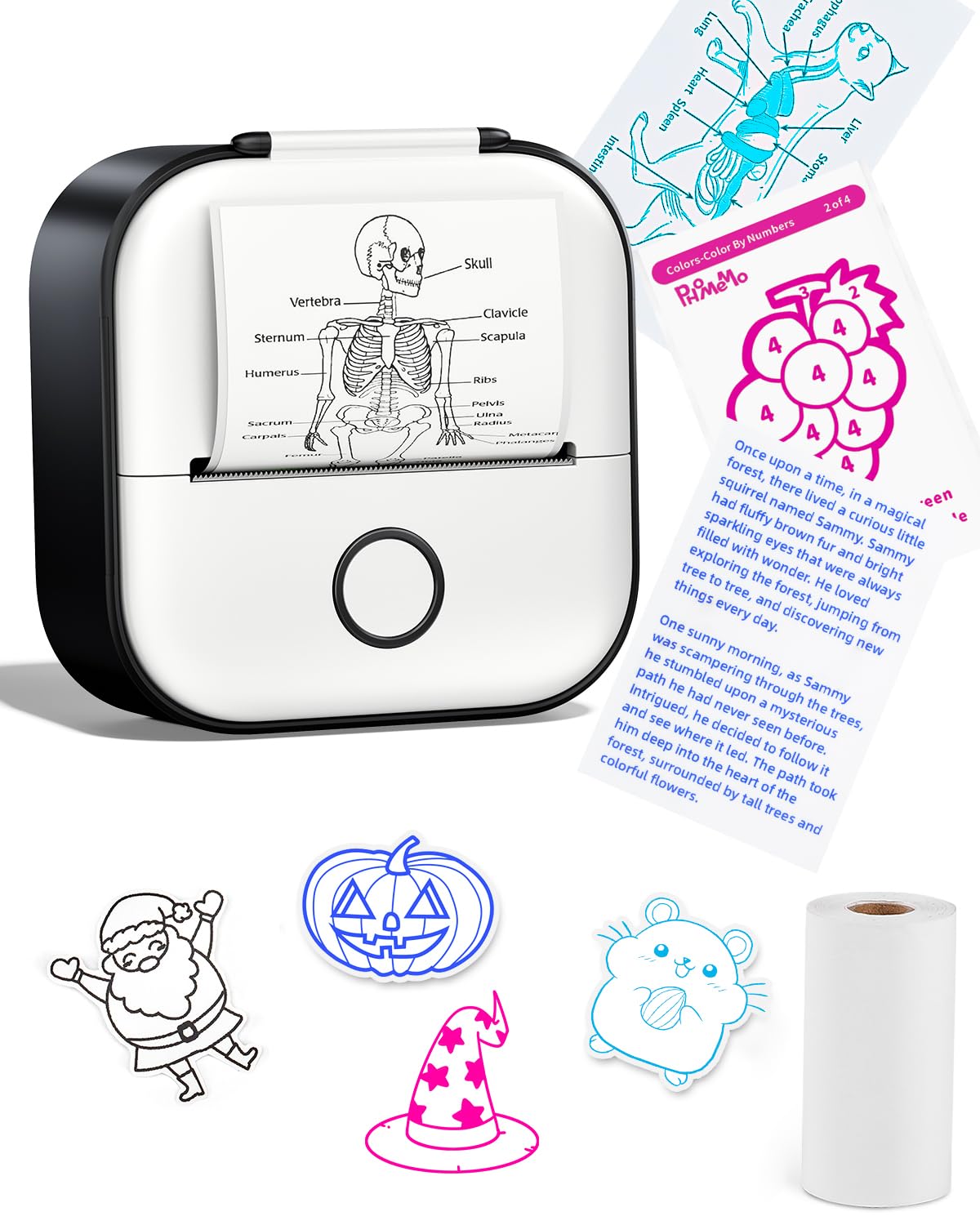
Consider the T02 if the included mix of three paper colors matters to your starter setup.
The Phomemo M02 is the straightforward choice if you prefer to stay within the Phomemo M02 model family; both are mobile, monochrome thermal printers aimed at study and creative tasks.
- The Memoking T02 is described as a Bluetooth thermal printer for iOS and Android, with three thermal paper rolls in white, purple, and green.
- It also supports monochrome prints on white, colored, and transparent paper.
- The Phomemo M02 supports app-based Bluetooth printing from compatible Android and iOS devices and works with white, colored, and transparent thermal rolls.
Portable Thermal Printers alternative
28,000+ ratings
Read Amazon ReviewsPhomemo D30 Label Maker
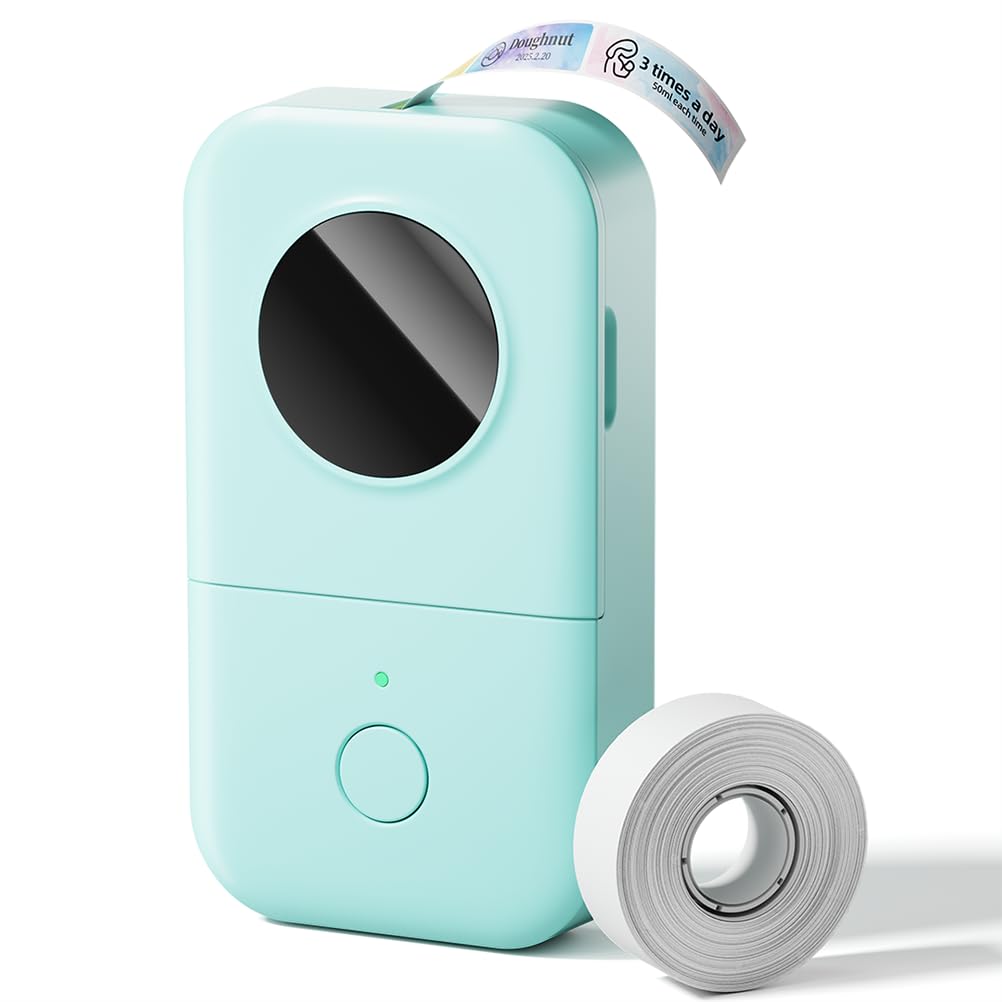
Choose the D30 if your main goal is repeatable organization labels and you value tape formats and label-specific tools such as barcodes or QR codes.
The M02 is a better fit when you want a small printer for a wider mix of study graphics, photos, notes, and DIY prints.
- The D30 is a Bluetooth label maker that supports continuous and fixed-length label tapes.
- Its app includes templates and tools such as barcode and QR-code creation, Excel import, scanning, and OCR; output is black text, with color effects supplied by patterned tapes.
- The M02 is a compact printer for text, patterns, photos, and study graphics, with different thermal paper types and monochrome output.
Is Phomemo M02 Printer Worth It?
The Phomemo M02 Mini Thermal Printer is worth considering for students and creative users who want a pocket-sized way to print small monochrome notes, study graphics, and labels from a phone or tablet.
Its inkless operation, app tools, and range of compatible paper types support varied lightweight tasks.
Buy it when portability and quick mobile printing matter more than color output or computer-based printing.
If labels are your central need, consider a label-focused design; if your projects rely on color, this monochrome printer is a poor fit.
Your review at a glance
9,000+ ratings
Read Amazon ReviewsPhomemo M02 Mini Thermal Printer
A compact inkless printer for students, journalers, and DIY users who want quick monochrome notes, photos, and labels from a phone or tablet.
- Bluetooth connection for Android 7.0 or later and iOS 13.0 or later phones and tablets.
- Inkless thermal printing, with no ink or toner required.
- Monochrome output on white self-adhesive and thermal paper; colored and transparent paper rolls support single-color printing.
- Phomemo app supports text, patterns, and photos and includes fonts, filters, themes, and a scan feature.