The LISEN iPad Stand Tablet Holder for Desk review is for tablet users who want an adjustable viewing position without leaving a bulky stand on the desk.
Its fold-flat design, gravity-based support, and broad stated device-size range make it worth considering for everyday viewing and light desk use.
LISEN Tablet Stand Review Summary
The quick verdict
13,000+ ratings
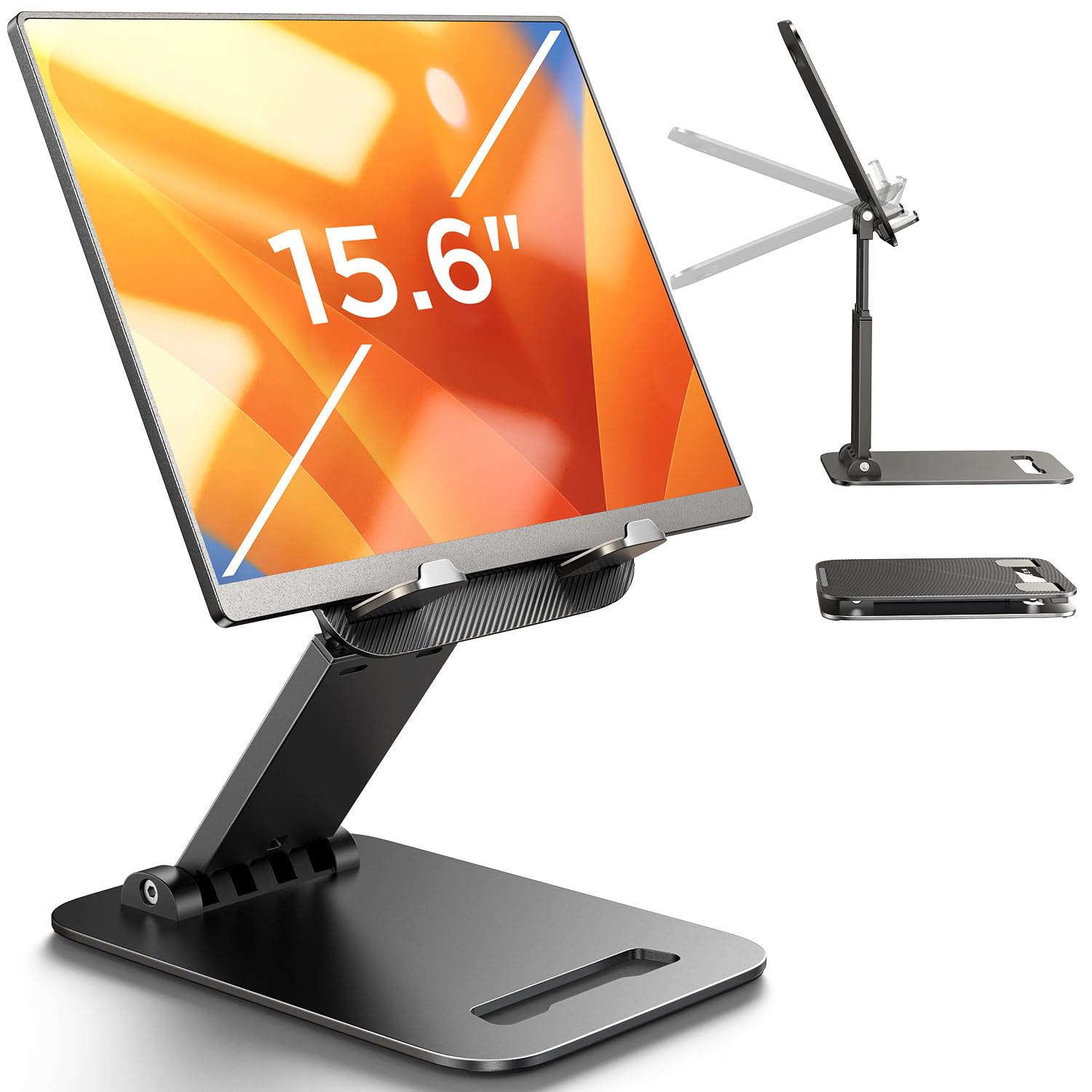
Read Amazon ReviewsLISEN Adjustable Tablet Stand
A compact adjustable stand for tablet users who want flexible viewing angles and a foldable design for home, office, or travel.
- Height and viewing angle are adjustable.
- A bridge screw adjustment mechanism lets users change joint tension.
- The gravity-based holder has no clips or magnets; the tablet is supported by its backward tilt.
- The stand folds flat for storage and transport.

Pros
- Folds down for travel and takes little space when stored.
- Adjustable height and angle provide more positioning options than a fixed rest.
Consider before buying
- The gravity-based design does not use clips or magnets, so users who want a physically clamped holder should consider whether this support style suits their routine.
- The fit excludes heavy-duty cases, and device width must remain under 0.7 inches.
Read the full review summary
This stand combines adjustable height and angle with a folding frame that is intended to pack down small.
The support uses the tablet’s backward tilt rather than clips or magnets, and the adjustable bridge screw provides a way to tune joint tension if it becomes too loose or tight.
It may suit people who move between a home desk, office, and travel setup, especially when their tablet is within the stated 4.0–15.9-inch range and its width is under 0.7 inches.
Check the fit with your case in place: thick or heavy-duty cases are specifically excluded, and phones are supported only in landscape orientation.
The buying factors
LISEN Tablet Stand Scorecard
Editorial scores reflect listed features and buyer fit; they are not laboratory measurements or customer ratings.
Angle and height flexibility
Both height and angle are adjustable, allowing a user to adapt the view to different desk tasks.
Portability
The stand folds flat and is described as compact enough for a pocket or bag.
Device range
The stated 4.0–15.9-inch range covers many tablets and e-readers, subject to width and case limits.
Stability tuning
A bridge screw lets users adjust joint tension, while the lowest angle is recommended for tapping or typing.
Everyday protection
Anti-slip silicone is included on the base, though the stand relies on tilt-based support rather than a clamp.
Phone usability
Phone support is limited to landscape orientation, so it is less flexible for phone-first use.
Key Features and Specifications of LISEN Tablet Stand
- Height and viewing angle are adjustable.
- A bridge screw adjustment mechanism lets users change joint tension.
- The gravity-based holder has no clips or magnets; the tablet is supported by its backward tilt.
- The stand folds flat for storage and transport.
- The product description gives a compatible device range of 4.0–15.9 inches, with device width under 0.7 inches.
- The base has a metal panel and anti-slip silicone; the stand is made from ABS plastic.
- Phones are supported only in landscape mode; heavy-duty iPad cases are not supported.
Pros and Cons of LISEN Tablet Stand
Pros
- Folds down for travel and takes little space when stored.
- Adjustable height and angle provide more positioning options than a fixed rest.
- Joint tension can be adjusted with the bridge screw.
- The listed size range accommodates a broad set of tablets and e-readers.
Consider before buying
- The gravity-based design does not use clips or magnets, so users who want a physically clamped holder should consider whether this support style suits their routine.
- The fit excludes heavy-duty cases, and device width must remain under 0.7 inches.
- Phone use is limited to landscape orientation.
- For tapping or typing, the recommended setup is the stand’s lowest angle, which may not suit users who need a higher working position.
Who Should Buy LISEN Tablet Stand?
Good fit
Consider it if you want one stand for viewing a tablet at a desk and packing away afterward.
Its adjustable height and angle can help position a screen for reading, video calls, or watching content, while the foldable design suits people who work in more than one location.
It is also a reasonable fit if you prefer a support that can be tension-adjusted over time.
Before choosing it, measure the device with its case attached and confirm that it falls within the stated size and width limits.
For touch-heavy tasks, plan to use the low-angle position suggested for tapping and typing. That setup is the clearest fit for the stand’s gravity-based support approach.
Who should skip it
Skip this design if your tablet has a heavy-duty case or exceeds the stated width limit. The description also rules it out for portrait phone use.
Look for a different holder if your routine depends on clips or magnets to secure a device, or if you need a raised position while frequently tapping the screen.
How the LISEN Tablet Stand Fits a Desk and Travel Routine
A portable stand for changing workspaces
The fold-flat construction is useful when a stand needs to move between desks or fit into a bag.
Portability is the central practical benefit, though buyers should still consider whether they want to carry a separate stand rather than leave a fixed holder in place.
Angle adjustment and touch interaction
Height and angle adjustment allow the screen position to change with the task.
Because the device is held through backward tilt, the product points users toward the lowest angle for stability when tapping or typing; that makes it a better match for viewing and light interaction than for a high, frequently touched screen.
Compatibility depends on the whole setup
The 4.0–15.9-inch range sounds broad, but device width and case thickness also matter. A buyer should check the tablet and case together against the under-0.7-inch width guidance and avoid assuming a rugged case will fit.
A support style with adjustable tension
The bridge screw gives users a way to alter joint tension, which can help tailor how freely the stand moves.
The holder itself does not clamp the device; users who prefer clip-based retention should decide whether a gravity-supported design is appropriate for their desk and handling habits.
Alternatives to LISEN Tablet Stand
Tablet Stands alternative
8,000+ ratings
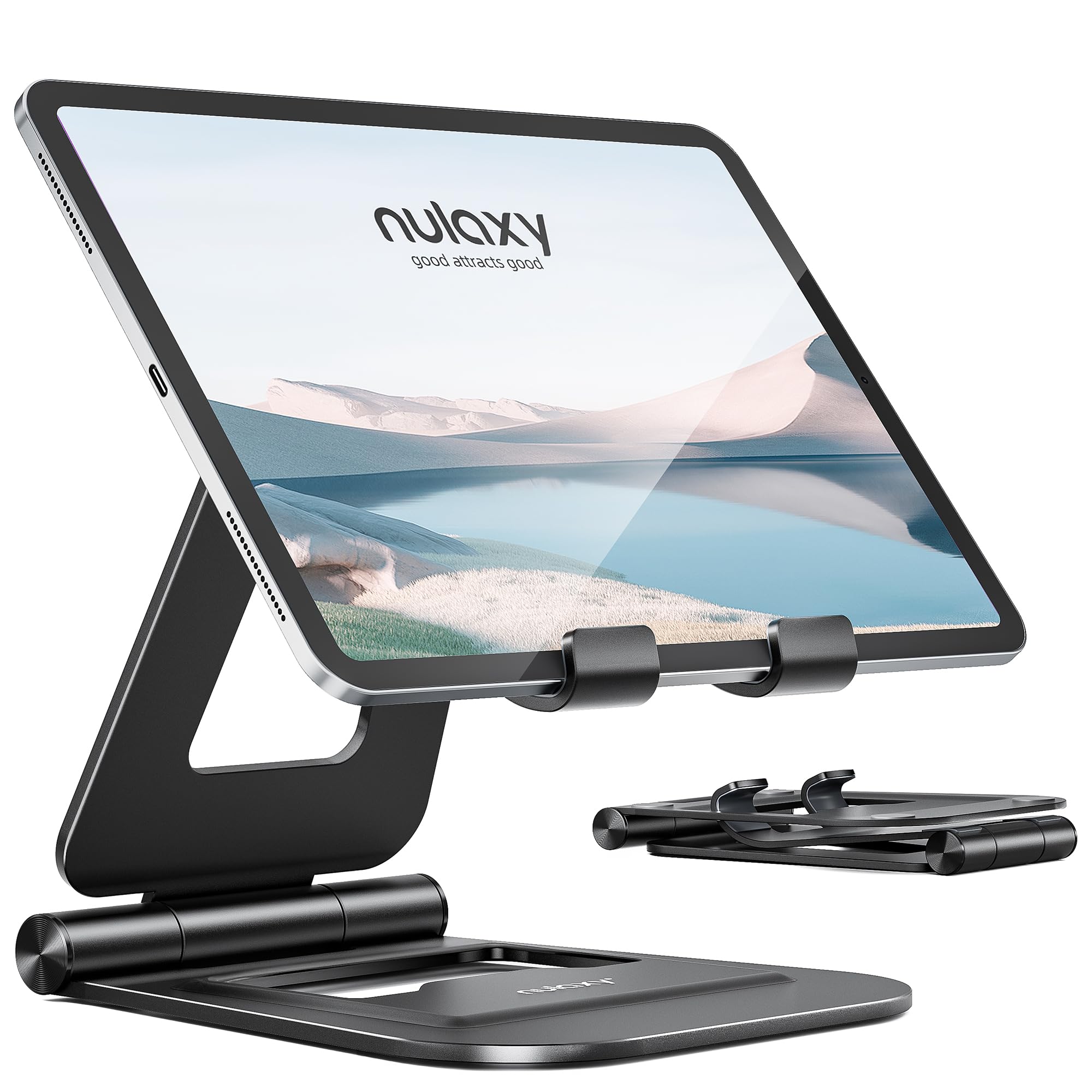
Read Amazon ReviewsNulaxy Dual Adjustable Foldable iPad Stand
Choose the LISEN if the larger stated device range is useful and its case restrictions work for your tablet.
The Nulaxy is a better match if you prefer an aluminum construction and your device is within its smaller size range.
- The Nulaxy stand uses an aluminum alloy body with two adjustable shafts, folds for travel, and is specified for 4–11-inch devices.
- The LISEN stand uses ABS plastic, folds flat, and supports devices in the stated 4.0–15.9-inch range, with a width limit and case exclusion.
Tablet Stands alternative
900+ ratings
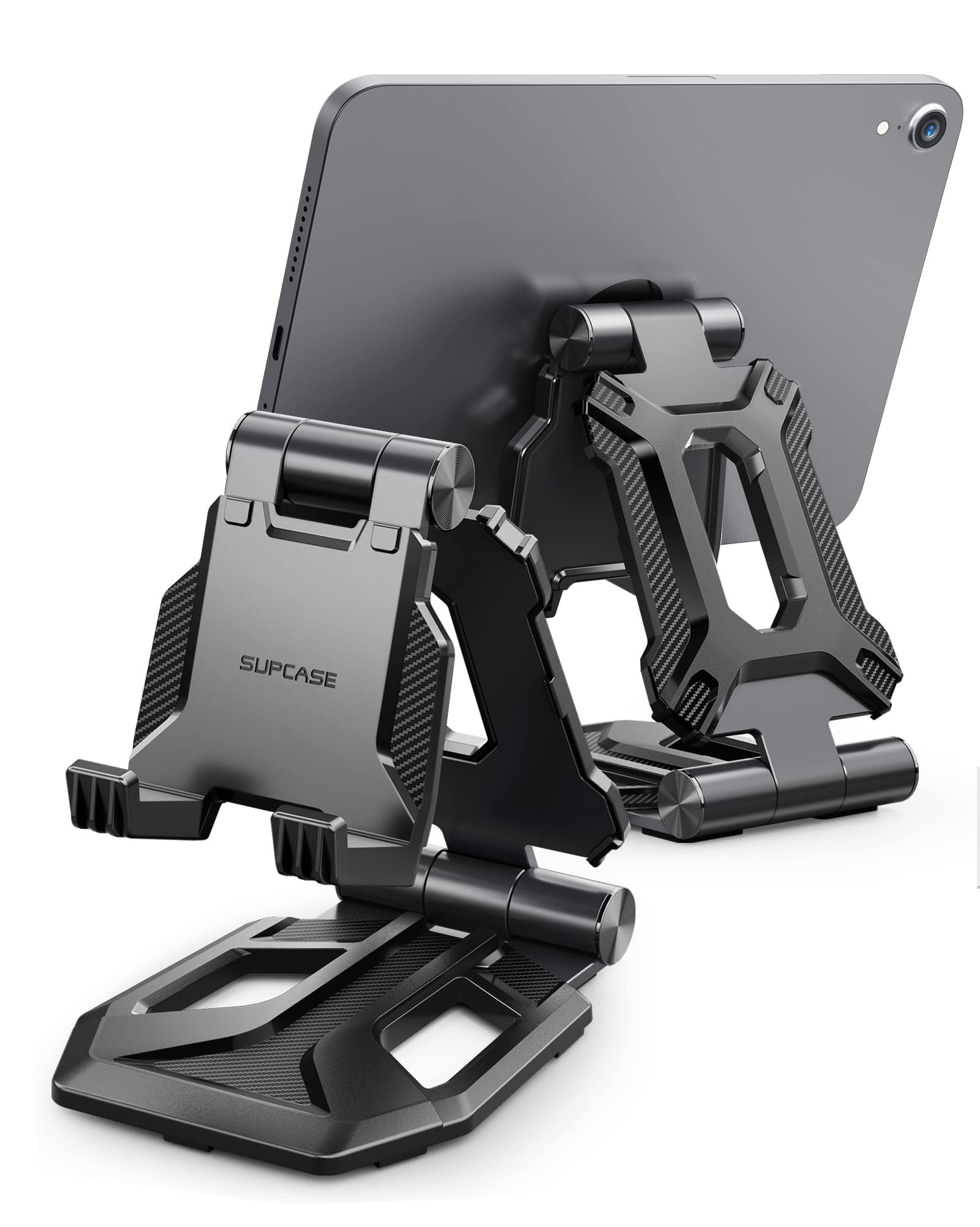
Read Amazon ReviewsSUPCASE Adjustable Foldable Tablet Stand
The SUPCASE may suit buyers who want its stated multi-angle adjustment and TPU pads across a 4–13-inch device range.
The LISEN gives a wider stated size range and adjustable joint tension, provided its gravity-based support and case limits fit your setup.
- The SUPCASE stand has an aluminum alloy body, TPU contact pads, dual-fold portability, and adjusts up to 270 degrees for devices in the 4–13-inch range.
- The LISEN stand relies on backward tilt rather than clips or magnets and recommends its lowest angle for tapping or typing.
Is LISEN Tablet Stand Worth It?
The LISEN Adjustable Tablet Stand is worth considering if portability and adjustable viewing positions matter more than a clamp-style hold. Its fold-flat design and joint-tension adjustment are practical for a stand that moves between workspaces.
Check your device and case dimensions before buying, and keep the recommended low angle in mind for tapping or typing.
If those conditions fit your routine, it offers a flexible desk and travel option; if not, choose a holder whose retention style and working position better match your use.
Your review at a glance
13,000+ ratings
Read Amazon ReviewsLISEN Adjustable Tablet Stand
A compact adjustable stand for tablet users who want flexible viewing angles and a foldable design for home, office, or travel.
- Height and viewing angle are adjustable.
- A bridge screw adjustment mechanism lets users change joint tension.
- The gravity-based holder has no clips or magnets; the tablet is supported by its backward tilt.
- The stand folds flat for storage and transport.