The KODAK Mini 2 Retro 2x3 Portable Photo Printer review is for anyone who wants to turn phone pictures into small, tangible keepsakes without setting up a full-size printer.
Its dye-sublimation process, app-based editing, and pocketable format make it appealing for casual projects, though each print is credit-card-sized and takes about 55 seconds.
KODAK Mini 2 Review Summary
The quick verdict
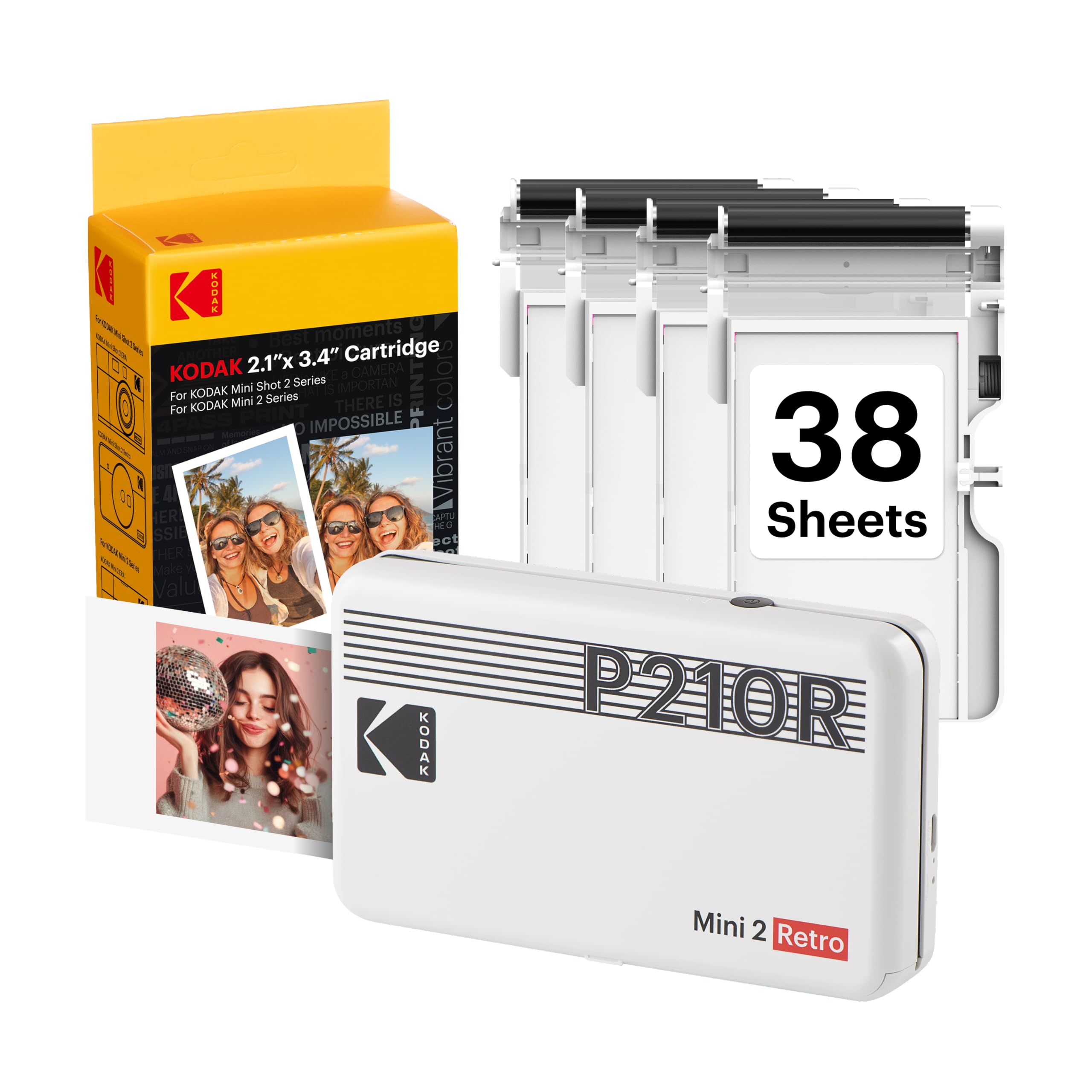
12,000+ ratings
Read Amazon ReviewsKODAK Mini 2 Retro
A compact Bluetooth photo printer for phone photographers who want small physical prints for journals, albums, parties, and gifts.
- Uses 4PASS dye-sublimation printing, layering three colors and finishing each photo with a clear protective lamination layer.
- Produces prints approximately the size of a credit card for wallets, planners, albums, photo booths, and gifts.
- Prints a photo in approximately 55 seconds.
- Connects over Bluetooth to compatible iOS and Android devices through the KODAK Photo Printer app.

Pros
- Small format makes it easy to add personal photos to journals, planners, scrapbooks, or wallets.
- The layered dye-sublimation process ends with a clear protective layer, giving prints a finished feel.
Consider before buying
- Credit-card-sized output is too small for buyers who want room-filling or larger framed photos.
- A print takes approximately 55 seconds, so a large batch may require patience.
Read the full review summary
The Mini 2 Retro is designed around spontaneous, small-format printing: connect a compatible iOS or Android device over Bluetooth, edit a picture in the KODAK Photo Printer app, and print it on supplied photo paper.
Its 4PASS dye-sublimation process applies three color layers followed by a clear protective layer, giving the output a more finished, laminated feel than a simple paper print.
The printer is described as small enough for a hand, bag, or pocket, so it can travel to a party or journaling session.
This package includes the printer, four cartridges, 38 sheets of photo paper, a USB Type-C cable, and a user guide, providing supplies for a first round of printing.
Its small output suits planners, wallets, scrapbooks, and albums where compact images are useful.
Consider it if the ritual of choosing and printing favorite phone photos matters more than making large or high-volume prints; the roughly 55-second process and specialty paper-and-cartridge supplies are part of that routine.
The buying factors
KODAK Mini 2 Scorecard
Editorial scores reflect listed features and buyer fit; they are not laboratory measurements or customer ratings.
Print format
Credit-card-sized output is a practical fit for wallets, planners, albums, and compact keepsakes, but it will not satisfy buyers seeking larger display prints.
Print finish
Three color layers plus a clear protective lamination layer give the process a polished, protected design.
Portability
The printer is described as small enough for a hand, bag, or pocket, which supports printing away from a desk.
Phone workflow
Bluetooth pairing with compatible iOS and Android devices and app-based edits make a phone-first workflow straightforward.
Setup supplies
The included printer, cartridges, paper, cable, and guide let a buyer begin with an initial supply on hand.
Print pace
At approximately 55 seconds per photo, it suits occasional keepsakes better than a rush of many prints.
Key Features and Specifications of KODAK Mini 2
- Uses 4PASS dye-sublimation printing, layering three colors and finishing each photo with a clear protective lamination layer.
- Produces prints approximately the size of a credit card for wallets, planners, albums, photo booths, and gifts.
- Prints a photo in approximately 55 seconds.
- Connects over Bluetooth to compatible iOS and Android devices through the KODAK Photo Printer app.
- The app supports editing, cropping, and customization before printing.
- The package includes the Mini 2 Retro printer, four cartridges, 38 sheets of photo paper, a USB Type-C cable, and a user guide.
Pros and Cons of KODAK Mini 2
Pros
- Small format makes it easy to add personal photos to journals, planners, scrapbooks, or wallets.
- The layered dye-sublimation process ends with a clear protective layer, giving prints a finished feel.
- Bluetooth and app-based editing keep the workflow centered on a smartphone.
- The included paper and cartridges provide materials for an initial set of prints.
Consider before buying
- Credit-card-sized output is too small for buyers who want room-filling or larger framed photos.
- A print takes approximately 55 seconds, so a large batch may require patience.
- The supplied starter paper and cartridges are finite; buyers planning regular printing should check the ongoing supply format and cost before committing.
Who Should Buy KODAK Mini 2?
Good fit
Choose the Mini 2 Retro if you want a portable way to turn selected phone images into physical reminders rather than leaving every favorite in a camera roll.
Small prints work particularly well for creative practice: add a travel image to a journal, build a compact album, or prepare a handful of keepsakes for friends at a gathering.
The protective lamination layer is a useful design detail for prints that will be handled or stored with other small items.
It is also a sensible fit for someone who prefers to edit and crop on a phone before deciding what deserves paper.
The app-led workflow can help you prepare a composition for a small print, where framing and crop choices have a noticeable effect on what fits.
The included 38 sheets and four cartridges let you get started without assembling the whole supply kit first.
Before buying, think about how often you expect to print. Occasional batches for an album or event make the roughly 55-second pace easier to live with, while frequent printing makes refill availability and recurring supply costs more important.
Check that the credit-card-sized format suits your planned use and that the KODAK Photo Printer app supports your particular phone.
Who should skip it
Skip this model if your main goal is larger photos for prominent wall display; its compact output is intended for wallets, planners, albums, and similar uses.
It may also frustrate anyone who expects a rapid stream of prints. At roughly 55 seconds per image, it is better suited to selecting individual moments than producing a large stack in a hurry.
What the KODAK Mini 2 Retro Means for Everyday Photo Projects
A compact print changes how you use a photo
A credit-card-sized photo is best treated as a portable keepsake or creative component.
It can sit beside handwritten notes in a journal, fit into a wallet, or bring a personal image to an album page without taking over the layout.
For wall display or projects where the image itself needs to be the focal point from a distance, the small dimensions are a real limitation; this format favors close-up viewing and collecting.
4PASS adds a finishing step
The described 4PASS process applies three color layers and then a clear protective lamination layer. That design gives the photo a finished surface and is intended to help resist fingerprints, water, and fading.
Those are useful qualities for images that will be handled, but they do not make a small print a substitute for a larger print designed for display.
Keep the format and the protective finish in mind as separate parts of the decision.
A phone-based workflow supports casual creativity
Bluetooth connection and the KODAK Photo Printer app let users select, crop, edit, and customize an image before printing.
That sequence makes the Mini 2 Retro a natural companion for a phone-based creative routine: choose a picture, adjust its framing, and add it to a physical project.
If you rely on a particular phone model or prefer editing on a computer, check compatibility and workflow details before purchase.
Plan around a measured pace and finite supplies
At approximately 55 seconds per print, this is a device for choosing moments rather than clearing a large queue quickly.
The 38 sheets and four cartridges in the package provide a starter supply, but regular use means replenishing consumables.
Buyers who expect to print often should confirm the refill options and compare their ongoing cost with the value they place on having small photos immediately available for personal projects.
Alternatives to KODAK Mini 2
Sticker-print alternative

25,000+ ratings
Read Amazon ReviewsHP Sprocket Select
Consider the Sprocket Select if a larger adhesive-backed print and HP app features better match your scrapbook or sticker projects.
The Mini 2 Retro is the more fitting choice if you prefer its credit-card format, layered dye-sublimation process, and included starter paper-and-cartridge supply.
- The HP Sprocket Select prints larger 2.3 × 3.4-inch photos on sticky-backed ZINK paper, with Bluetooth 5.1 support for iOS and Android and editing tools in the HP app.
- The KODAK Mini 2 Retro makes credit-card-sized prints with 4PASS dye-sublimation and includes 38 sheets of photo paper plus four cartridges.
Sticker-print alternative
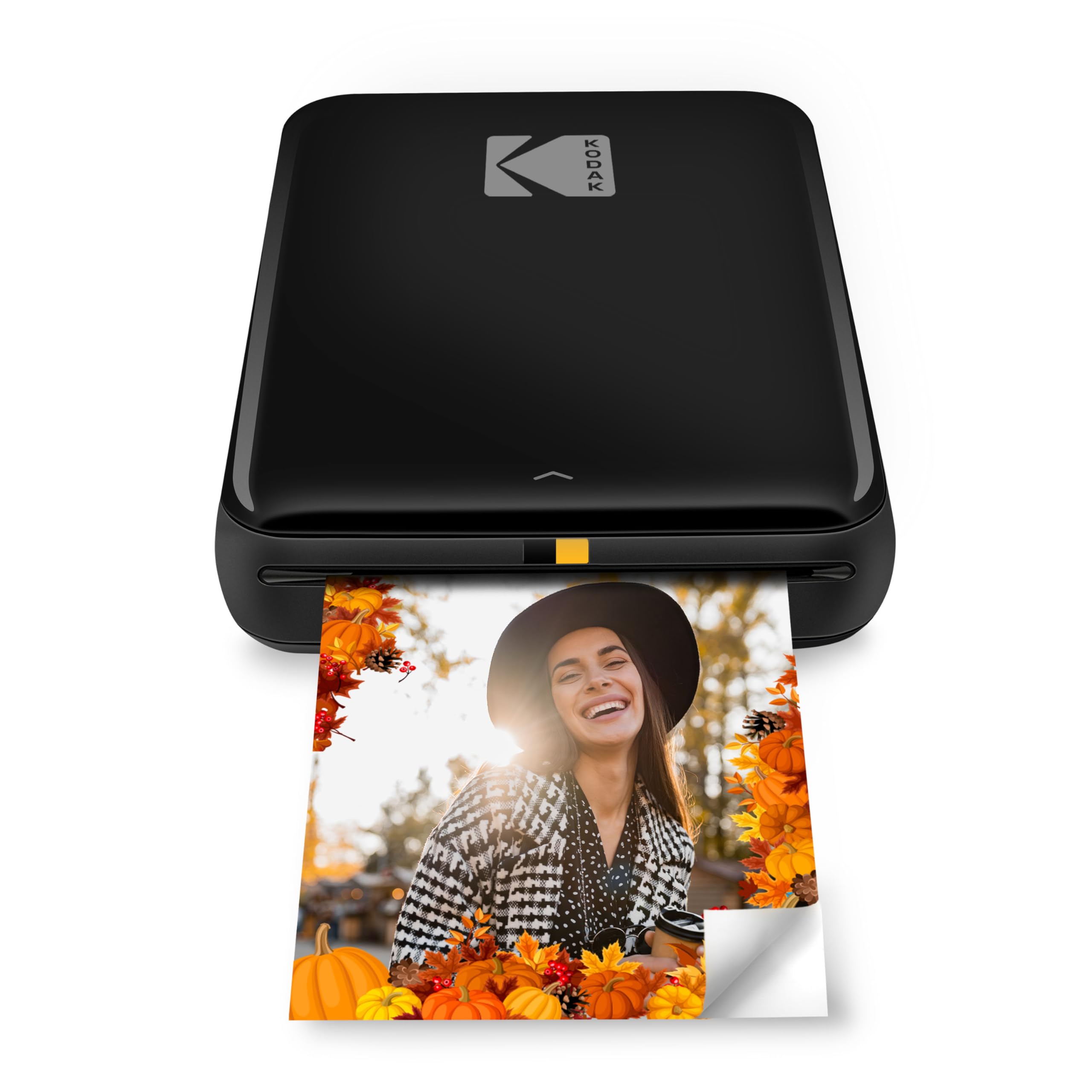
20,000+ ratings
Read Amazon ReviewsKODAK Step Instant Smartphone Photo Printer
The KODAK Step is worth considering if peel-and-stick prints and a ZINK workflow are more useful for decorating notebooks or other surfaces.
Choose the Mini 2 Retro if you want the described layered dye-sublimation finish and its bundled photo paper and cartridges.
- The KODAK Step uses ZINK technology and 2 × 3-inch sticky-back paper, connects to iOS and Android over Bluetooth or NFC, and offers editing through the KODAK app.
- The KODAK Mini 2 Retro uses 4PASS dye-sublimation with a clear finishing layer and prints approximately credit-card-sized photos in about 55 seconds.
Is KODAK Mini 2 Worth It?
The KODAK Mini 2 Retro is worth considering for phone photographers who want small, polished physical keepsakes for journals, wallets, albums, and casual creative projects.
Its portable form, app-based editing, and 4PASS process make a coherent package for that use.
Buy it if credit-card-sized photos and a roughly 55-second print pace fit your routine. If you need larger display images or expect to print many photos quickly, choose a format and workflow built around those priorities instead.
Your review at a glance
12,000+ ratings
Read Amazon ReviewsKODAK Mini 2 Retro
A compact Bluetooth photo printer for phone photographers who want small physical prints for journals, albums, parties, and gifts.
- Uses 4PASS dye-sublimation printing, layering three colors and finishing each photo with a clear protective lamination layer.
- Produces prints approximately the size of a credit card for wallets, planners, albums, photo booths, and gifts.
- Prints a photo in approximately 55 seconds.
- Connects over Bluetooth to compatible iOS and Android devices through the KODAK Photo Printer app.